
The main draw of playing in a browser is immediate access. You skip the long download times and storage concerns associated with native apps, making it the easiest way to jump into a quick session. However, the experience can vary wildly depending on whether the game is a lightweight 2D story or a high-performance 3D simulation running in a web window. To find a game that actually runs well, you need to balance your desire for visual fidelity with the technical limits of your browser.
When you choose to play online, privacy and performance are the two biggest hurdles. While modern web technology has closed the gap between browser games and installed software, hardware acceleration and cache management still play a massive role in how smooth your experience will be. Identifying the right technical format for your device is the first step toward a frustration-free session.
Prioritize HTML5 and WebGL for better performance
Most modern gay adult browser games use HTML5 or WebGL. These formats allow for hardware acceleration, meaning the game can use your computer’s graphics card to render 3D models and fluid animations. This is a massive upgrade over older tech, providing a much smoother framerate and higher-resolution textures.
Choose these titles if you are playing on a desktop or a newer laptop and want a more interactive, visually impressive experience. This usually works better for sandbox simulators where you control the camera and character movements. Skip these if you are on an older mobile device or a low-powered tablet, as WebGL can be resource-heavy and may cause your browser to crash or lag significantly.
Decide between guest play and persistent accounts
A major decision point for online gaming is how much progress you want to save. Many sites allow for instant guest access, which is perfect for privacy but means any unlocks, customized characters, or story progress will be lost once you close the tab or clear your cache.
- Choose guest access if you want maximum privacy and are looking for a one-off session without leaving a digital footprint.
- Pick account-based games if you are playing a long-form RPG or a management sim where building your character and relationships over several days is the main appeal.
- Look for private browsing compatibility, as some games may fail to load assets if they cannot access local storage while in incognito mode.
Match the game format to your connection speed
Because browser games stream assets as you play, your internet speed directly impacts the quality. Large-scale 3D games often have long initial loading screens, while 2D visual novels tend to load assets on a per-scene basis. If you have a slower or unstable connection, a high-fidelity 3D sim will likely stutter or fail to load textures properly.
This tends to disappoint if you are expecting a seamless experience on a public or weak Wi-Fi signal. In those cases, focusing on 2D art or text-heavy adventures is a much safer bet. By choosing a format that matches your hardware and connection, you ensure that the focus remains on the action rather than the loading bar. For the best results, always check for a full-screen toggle to remove the browser UI and get closer to a native app feel.
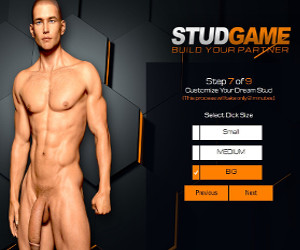 Stud Game
 Men Bang
 3D Gay Game
 Gay Harem
 3DXChat gay
 Fap CEO Men Stream
 Cockville
 LGBTQ games
 Cumming Hotel


 3DXChat gay
 VR Gay Games
 Nutaku Gay
 Try not to cum
 3D Gays
 Gay Game
 Gay Harem